


SeeLog
4.54.00 Reviews
App Specs
- Version
- 1.0.4
- Updated On
- License
- Free
- Downloads
- 10,000+
- Developer
- SeeLog Software
- Categories
- Parenting
- Platform
- Android
Screenshots
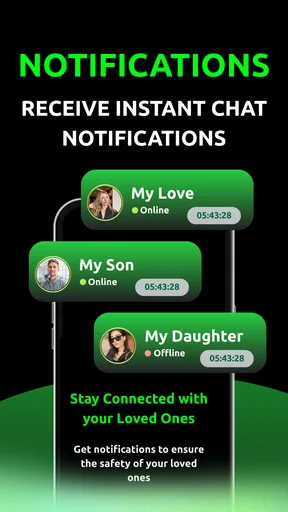
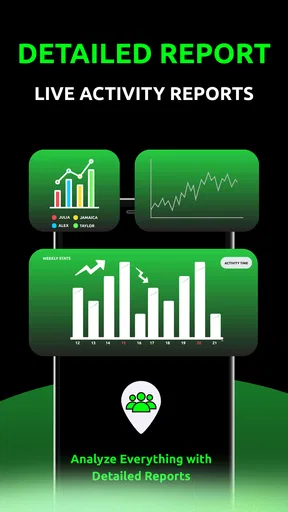
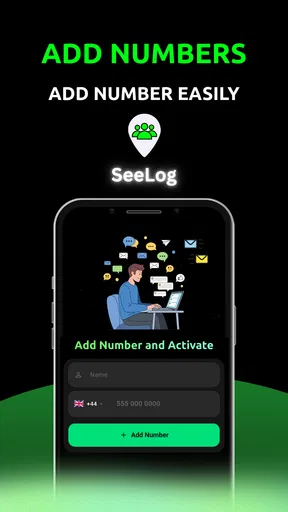
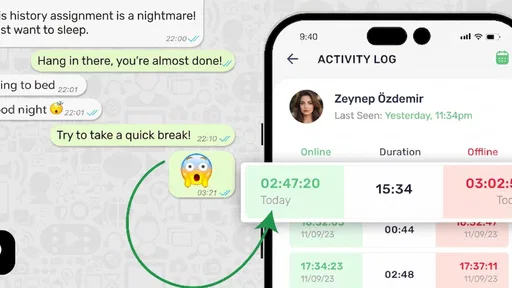
 Analysis by AppCompare
Parenting apps are easiest to judge when they fit into a real family routine rather than simply sounding helpful in a store description. I approached SeeLog with that in mind: could it support a parent and child in becoming more aware of everyday choices, and could it do so without creating another complicated task for the adult? My overall impression is that it is a focused tool from SeeLog Software, aimed at reflection and shared awareness rather than entertainment or a large collection of parenting resources.
That focus is both its appeal and its main challenge. A parent looking for a calm way to encourage more thoughtful conversations may find the idea useful. Someone expecting a complete family organizer, a child-safety monitor, or a ready-made advice library may feel that it does not match the job. The best experience depends heavily on how deliberately the family introduces it and how consistently everyone treats it as a shared routine.
Where families are most likely to get stuck
The first potential obstacle is understanding what role SeeLog should play. Its store summary presents it as support for parents and children becoming more informed and conscious, but that is a broad goal rather than a detailed instruction manual. I would not approach it as an app that automatically solves a parenting problem. It is better understood as a prompt for attention: something that can help a family notice patterns, discuss decisions, and turn vague concerns into clearer conversations.
That distinction matters during the first session. If a parent opens it expecting immediate answers, the experience may seem too quiet or too dependent on participation. The app is more likely to be useful when the adult already has a small, specific purpose in mind, such as helping a child think through a recurring choice or creating a regular moment to discuss how the day went. Starting with a narrow goal makes the app feel practical instead of abstract.
Another common sticking point is introducing it to a child. Children can resist anything that feels like a test, a lecture, or a disguised monitoring tool. I found that the tone used by the parent matters as much as the app itself. Presenting SeeLog as something to explore together is more inviting than announcing that the child must complete it correctly. The adult should explain why they are using it and allow the child to ask what will happen before expecting active participation.
The most important setup decision is agreeing on the purpose before trying to build a habit. If the family cannot describe what they want to become more aware of, the routine can quickly turn into empty tapping. A short conversation first can prevent that: are you trying to understand a repeated situation, encourage more thoughtful choices, or simply create a space for parent-and-child discussion? The answer determines how often the app should be opened and what a useful session looks like.
There is also a practical social friction that is easy to overlook. A parent may see value in the app while a child sees only another adult-directed activity. That does not mean the app has failed. It means the family may need to reduce the pressure around it. Rather than making every session a serious discussion, use it occasionally and respond to the child’s answers with curiosity. If every interaction leads to correction, the child is likely to disengage regardless of how well the application is designed.
Worth Reading Before You Choose

EA SPORTS FC Mobile 26 Is a Bigger Football Game, but It Takes Time

Flipboard Shows What News Apps Must Do Beyond the Feed

Switching to Android Auto Means Rethinking Your Driving Routine

Google Calendar Makes a Crowded Week Easier to Manage

Ludo King Makes the Most of the Minutes Between Plans

Baby Panda World Brings Quick Play to Modern Phones, but Its Game Library Feels Busy
What to clarify before inviting a child in
I would decide in advance whether the app will be used privately by the parent, jointly with the child, or as a mixture of both. Those are different workflows. A parent using it as a personal reflection aid can move at their own pace. A shared session needs simpler language, more patience, and a clear agreement that the child will not be embarrassed for giving an honest answer.
It is equally useful to set expectations about the app’s limits. SeeLog should not be treated as a replacement for a direct conversation, professional guidance, or urgent support. Its strength is in encouraging awareness, not in diagnosing family problems or making decisions on a parent’s behalf. Keeping that boundary clear makes the tool safer and prevents disappointment.
Setup checks that prevent avoidable frustration
SeeLog is a free parenting app, which makes trying it relatively easy, although in-app purchases range from $1.99 to $19.99 per item. I would check the purchase screen carefully before handing the phone to a child, especially if the device is shared. The free starting point is useful for evaluating whether the family’s routine suits the app, while the presence of optional purchases means adults should remain responsible for any later decision to buy something.
The application is rated for Everyone, but an age label should not replace parental judgement. A younger child may still need an adult to explain the purpose and guide the interaction, while an older child may prefer more independence. The right level of supervision depends on maturity, family expectations, and the subject being discussed, not merely on the rating shown in the store.
Compatibility is another sensible first check. The current version is 1.0.4 and requires Android 7.0 or later. On an older device, I would confirm the operating system before spending time troubleshooting installation. If the app cannot be installed, the cause may simply be the phone’s software rather than SeeLog itself. On a compatible device, restarting the installation process and checking available storage are reasonable first steps before assuming there is a deeper problem.
Because the app is relatively focused, I would also prepare the environment rather than opening it in the middle of a rushed morning. A quiet few minutes is more appropriate than a distracted moment between school preparation and work. This is not about creating a formal family meeting; it is about giving the child enough attention to understand what is being asked and giving the parent enough time to listen.
A useful setup routine is to let the adult explore first, then return with the child. That gives the parent a chance to understand the flow without making the child wait while menus or screens are being figured out. It also reduces the temptation to improvise explanations that may sound controlling. Once the adult knows what to expect, the shared introduction can be shorter and more relaxed.
A simple first-session method
For the first use, I would avoid trying to cover every possible family concern. Choose one ordinary situation that the child already understands. Explain that the goal is to notice and think, not to earn a perfect result. Let the child respond without immediately correcting the answer, then ask one follow-up question in everyday language. The point is to connect the app with a useful conversation rather than with an interrogation.
Afterward, ask whether the experience felt easy, confusing, or uncomfortable. This small check is valuable because it reveals friction that a parent may not notice while holding the device. If the child cannot explain what the activity was for, pause and simplify the introduction. If the child understands but dislikes the timing, move the routine to a calmer part of the day. These adjustments are more productive than repeating the same session and hoping resistance disappears.
Families should also agree on who controls the device during a shared session. Passing it back and forth can make a child feel involved, but it can also slow things down. Letting the child handle some of the interaction may increase ownership, while the parent can step in when clarification is needed. There is no single correct arrangement; the useful test is whether the child feels included rather than inspected.
Recovering a routine when something goes wrong
When an app-based family routine breaks down, the mistake is often to treat the technical symptom as the whole problem. If SeeLog appears not to respond as expected, begin with ordinary checks: close and reopen it, restart the device, confirm that the phone is running Android 7.0 or later, and make sure the application is updated to its current version. These steps address common installation or session problems without inventing complicated explanations.
If the issue happens only on one device, compare the situation with another compatible device if one is available. A device-specific problem can involve storage pressure, an operating-system quirk, or a temporary background process. If the same difficulty appears consistently, record what was happening immediately before it occurred. Knowing whether it happened during opening, saving, moving between screens, or returning after an interruption gives support staff a much clearer starting point than saying only that the app is broken.
There is also a nontechnical recovery plan. If a session is interrupted, do not turn the interruption into a conflict with the child. Put the phone down and continue the conversation in person. When the app is available again, return to the same topic only if it still feels useful. This prevents the family from confusing the value of reflection with the success of a particular screen or session.
A helpful habit is to keep the objective separate from the record. The objective may be to help a child think about a decision; the record is only the method used at that moment. If the method stops working, the objective does not disappear. A parent can ask the same open question aloud, write a short note for later, or postpone the activity. This flexibility is especially important because a parenting tool should reduce tension, not make the family feel obligated to complete a digital process.
When repeated use becomes unhelpful
Consistency can help, but repetition without reflection can make SeeLog feel mechanical. I would not force a daily schedule unless the child genuinely accepts it. A shorter, occasional session that leads to a meaningful conversation is more valuable than frequent use that produces rushed or artificial answers. Watch for signs that the child is simply trying to finish, giving answers to please the parent, or avoiding the activity altogether.
Parents should also avoid using the app as evidence in an argument. If a child expresses something that concerns the adult, the next step should be a calm conversation, not a confrontation built around what was entered. The app can open a door, but trust is maintained by how the parent responds afterward. This is one of the most important trade-offs: greater awareness is only helpful when the family protects honesty and emotional safety at the same time.
For households with more than one child, separate expectations may work better than a shared rule. One child may enjoy discussing choices while another needs more privacy or a less structured approach. Treating every child identically can make the app feel unfair. I would use the same general purpose but adjust the timing, language, and level of involvement for each child.
When the app is not the cause
Some disappointing experiences will come from expectations rather than from SeeLog. If a parent wants scheduling, reminders, location tools, screen-time controls, or a large reference library, a conventional family organizer or a dedicated safety application may be a better match. SeeLog’s parenting focus is narrower, and that narrowness can be an advantage for reflection but a limitation for families searching for an all-in-one dashboard.
It is also not the right choice when the family needs immediate professional intervention. A reflective app cannot replace a pediatrician, counselor, teacher, safeguarding professional, or emergency service. If a child is distressed, unsafe, or facing a serious problem, direct human support should take priority. SeeLog may have a place in ordinary awareness-building, but it should never delay appropriate help.
Families who prefer completely offline, device-free conversations may also reasonably skip it. A notebook, a walk, or a regular meal-time question can sometimes achieve the same basic goal with less technology. The advantage of SeeLog is structure and convenience, not magic. If the family already has a trusted discussion habit, adding an app may create more friction than value.
On the other hand, it can be a good fit for parents who struggle to begin these conversations. The app provides a concrete starting point, which can be easier than inventing a question in the moment. It may also suit adults who want to make conversations more intentional without turning them into formal lessons. The key is to use the structure as a bridge toward communication, not as a substitute for it.
The developer, SeeLog Software, positions the product around informed and conscious parenting and childhood. In practice, that means I would judge success by the quality of the discussion that follows a session, not by how many times the app is opened. A parent who wants measurable task completion may find that standard frustrating. A parent who values small improvements in awareness may appreciate the slower, more conversational approach.
My practical verdict after weighing the trade-offs
SeeLog is an interesting free option for families looking for a focused parenting aid rather than a crowded toolkit. Its average rating is 4.5 from nearly two hundred ratings, and it has passed ten thousand installs, which suggests that it has attracted a modest but real audience. I would treat those figures as useful context, not as a guarantee that it will suit every family. The experience depends on willingness to participate, clear expectations, and a parent who is prepared to listen rather than simply direct.
My recommendation is to begin with one specific use case, test it on a compatible device, and keep the first session short. Check the purchase controls before involving a child, explain the purpose in plain language, and decide what you will do if the technology interrupts the conversation. Those steps address the most likely sources of frustration without making the routine feel overmanaged.
The app is strongest when a family needs help starting a thoughtful conversation and weakest when someone expects automatic monitoring, expert answers, or comprehensive household management. Compared with a notebook, it offers a more guided digital starting point; compared with broad parenting platforms, it appears more deliberately centered on awareness. That trade-off is worth accepting only if the family actually wants reflection to be part of its routine.
I would recommend giving SeeLog a fair trial to parents who want to involve their children in becoming more conscious of everyday choices and who are comfortable adjusting the process around the child’s response. I would skip it for urgent concerns, highly technical family-management needs, or households that already communicate well without digital support. Used with patience, it can be a helpful prompt. Used as a test, a surveillance tool, or a replacement for real conversation, it is unlikely to deliver what the family needs.
Pros
- Simple interface makes logging daily activities quick and easy.
- Useful for tracking routines
- habits
- or personal events in one place.
- Entries can help reveal patterns in your behavior over time.
- Lightweight design should run smoothly on most modern devices.
- Flexible logging can be adapted to different personal tracking needs.
Cons
- May feel too basic for users wanting advanced analytics or reports.
- Initial setup can take time if you plan to track many activities.
- Limited sharing options may reduce its usefulness for collaborative tracking.
- Frequent manual input can become tedious without consistent reminders.
- Privacy details should be checked carefully before recording sensitive information.
FAQs for SeeLog
What is SeeLog and what can I use it for?
SeeLog is designed to help users record, organize, and review information in one convenient place. Depending on the version and platform, it may be useful for keeping personal logs, monitoring activities, documenting events, or maintaining notes over time. Before downloading, check the app’s current description and screenshots, because available tools and supported use cases can vary between Android and iOS releases.
Is SeeLog free to download and use?
SeeLog may be available as a free download, but some features could require in-app purchases, a subscription, or a premium upgrade. Users should review the store listing carefully before installing, especially the pricing section and subscription terms. Also check whether the free version includes advertising, limits the number of entries, or restricts cloud storage, exports, customization, or other advanced functions.
Does SeeLog require an account or an internet connection?
The requirements depend on how SeeLog stores and synchronizes your information. Some functions may work offline, while account creation or an internet connection could be necessary for backup, synchronization across devices, sharing, or accessing online services. If privacy and availability are important, review the permissions and account requirements before downloading, and confirm whether your records remain accessible without a connection.
Is my information safe and private when using SeeLog?
Before entering sensitive personal details into SeeLog, users should read the app’s privacy policy and the data-safety information shown in the relevant app store. Pay attention to what data may be collected, whether information is shared with third parties, how backups are handled, and whether deletion is supported. Avoid storing highly confidential information unless the app clearly explains its security protections.
Which devices and operating systems support SeeLog?
SeeLog’s compatibility can differ between Android and iOS, and some features may require a recent operating-system version or specific device capabilities. Check the official Google Play or App Store listing for the latest supported versions, storage requirements, and tablet or phone compatibility. Keeping your device updated can also help prevent installation problems and ensure that the app runs as intended.


